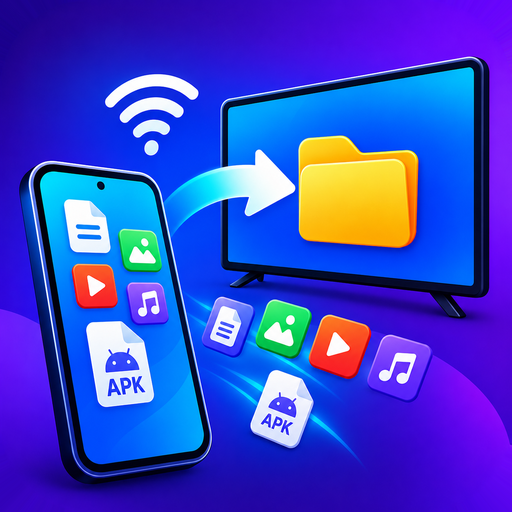
Sideloading
How to install XAPK and split APK files on Android TV
An XAPK is not one file — it is a bundle. Inside are a base APK plus extra split files for your language, screen density and CPU. Android's installer will not open the bundle itself, and installing only the base is exactly why you get "app not installed".
On a TV it is worse, because there is no file manager to unpack it and no easy way to plug in a computer. The fix is to send the bundle from your phone with something that installs all the parts together.
What is an XAPK file?
Google Play stopped shipping single APKs years ago. It now sends each device only the pieces it needs — one language instead of eighty, one screen density, one CPU architecture. That makes downloads smaller, and it means the app on your phone is physically several files.
When a mirror site packages that app for download, it wraps those pieces into one archive. Different sites use different extensions for the same idea:
| Extension | What it is | Installs directly? |
|---|---|---|
| .apk | A single, complete app | Yes |
| .xapk | Bundle: base APK + splits, sometimes OBB data | No |
| .apks | Bundle produced by Google's bundletool | No |
| .apkm | Bundle from APKMirror | No |
This is the single most common sideloading failure. The file downloads fine, the TV accepts it, and the install dies at the last step with a message that explains nothing. Nothing is wrong with the file — the installer was handed one piece of a set.
How to install an XAPK on Android TV
- Allow installs on the TV. On Android TV or Google TV: Settings → System → About, click the build number seven times, then Settings → Apps → Security & restrictions → Unknown sources. On Fire TV: Settings → My Fire TV → Developer options → Install unknown apps.
- Install Send Apps to TV on your phone, and its receiver on the TV.
- Pick the XAPK, APKS or APKM file from your phone's storage. You do not need to unpack it first.
- Choose the TV and send. All the split parts go across together and install as one app, using Android's own installer.
Unknown sources exists so you can install your own software. Only install apps you have the right to use, from sources you trust — a bundle from an unknown site can contain anything.
Still says "app not installed"?
Once the split problem is out of the way, three causes remain:
| Cause | How to tell | Fix |
|---|---|---|
| Wrong CPU architecture | An arm64-only build on a 32-bit stick, common on older Fire TV | Get the universal or armeabi-v7a build |
| Android version too old | Usually shows as a parse error instead | Find an earlier release of the app |
| An older copy already installed | Signature mismatch with the existing app | Uninstall the old one first |
Send Apps to TV checks the app will actually run on the target device before sending, so a mismatch shows up on your phone rather than after you have walked across the room.
Questions people ask
What is an XAPK file?
A bundle containing an app's base APK plus its split parts — language, screen density and CPU-specific pieces — and sometimes OBB game data. It is an archive, not an app, which is why Android will not install it directly.
Why does my XAPK say "app not installed"?
Almost always because only the base APK reached the installer. The splits have to be installed in the same session, together. A tool that understands the bundle format does that for you.
Can I install an XAPK on a Fire TV Stick?
Yes. Enable Install unknown apps in Developer options, then send the bundle from your phone. See the Fire TV Stick guide for the exact menu path.
Do I need a computer or ADB?
No. Everything happens over your own Wi-Fi between the phone and the TV. No cable, no ADB, no PC.
Install XAPK bundles on your TV
Send the whole bundle from your phone. Split parts installed together, compatibility checked before it sends. No computer, no cable, no ADB.
Get it free on Google Play