
Fix problems
Fix "There Was a Problem Parsing the Package" on Android TV
"There was a problem parsing the package" means Android TV could not read the APK as a valid app for this device. The usual causes are an incomplete or corrupted download, a split APK (XAPK, APKS, APKM, or one part of a bundle) opened as if it were a full APK, an app that needs a newer Android version than your TV runs, or a build for a different CPU type. Download the file again, check the app's minimum Android version against Settings › Device Preferences › About, and install bundles with a split APK installer such as SATV.
On this page
This parse error appears the moment you open an APK, before any install starts, and it says nothing about why. It is common on Android TV boxes and smart TVs because they often run older Android versions than phones and get APKs by USB stick or Downloader, where files get cut short. Work through the causes below in order; the first three cover most cases.
Steps: fix the parse error on Android TV
- Check the file size. Compare the APK on the TV (or USB stick) with the size on the download page. If it is smaller, or a few kilobytes, the download was interrupted or you saved a web page. Download it again.
- Check the extension. If the original file was
.xapk,.apksor.apkmand someone renamed it to.apk, or you extracted just one APK from a bundle, the installer cannot read it. Install the whole bundle with a split APK installer. - Check your TV's Android version. Open Settings → Device Preferences → About (Google TV: Settings → System → About) and note the version. Compare it with the app's minimum Android version, which most APK sites list on the download page.
- Get a compatible build. If the app needs a newer Android, download an older release that supports your TV. If the app has separate CPU builds, choose armeabi-v7a or universal for most TVs.
- Install again. Open the new file, or send the app from your phone with SATV, which sends installed apps with all their split parts and installs them together.
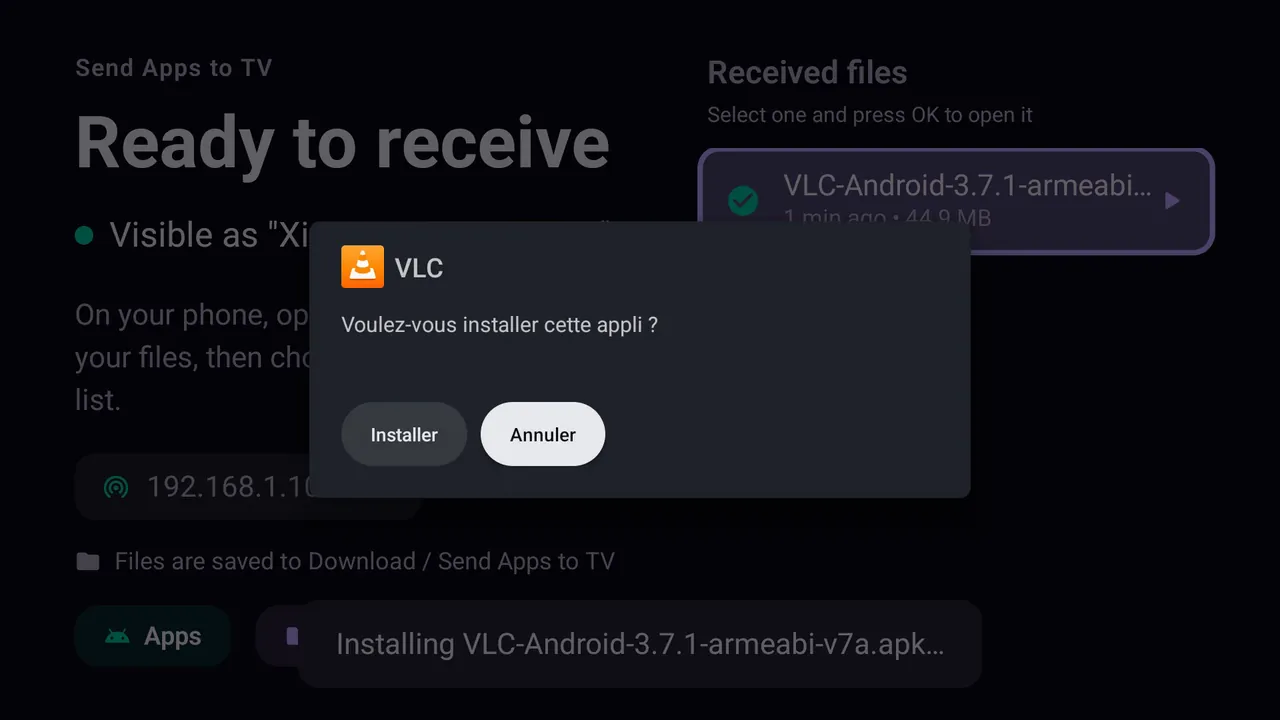
When the package is valid, the normal installer screen appears instead of the parse error. Xiaomi Mi TV, French interface.
The causes, one by one
1. Incomplete or corrupted download
The most common cause on TV boxes. Downloads over a weak Wi-Fi connection, a browser that saved an error page with an .apk name, or a USB stick pulled out before copying finished all leave a broken file. Android checks the package structure first and gives up. Download again from the developer's site, ideally on a computer or phone, and compare sizes.
2. A split APK opened as a single APK
Many modern apps are not one APK but a base APK plus split APKs for language, screen density and CPU. Download sites wrap them as XAPK, APKS or APKM. Opening the bundle in a file manager, renaming it to .apk, or installing just the base.apk gives a parse error or "App not installed". Install the full set in one session with a split APK installer or adb install-multiple; our XAPK and split APK installer guide explains each option.
3. The app needs a newer Android version (minSdk too high)
Every app declares a minimum Android version. Many TVs and boxes still run Android 9, 10 or 11 while the newest app releases require more. On those devices the installer often cannot parse the package at all. Install an older release of the app that still supports your Android version. The reverse also happens: Android 14 refuses apps built for very old Android versions, so a really ancient APK can fail on a new TV.
4. Wrong CPU type: 32-bit vs 64-bit
Apps with native code ship builds for armeabi-v7a (32-bit ARM), arm64-v8a (64-bit ARM) and sometimes x86. Many TVs run a 32-bit Android system even on a 64-bit chip, so an arm64-only build cannot run there. Depending on the Android version this shows as a parse error or as "App not installed". Choose the armeabi-v7a or universal build.
5. The file is not an APK, or is damaged
A zip, an archive that a download site renamed, or an APK modified by a third party can all fail parsing. Get the app from its official source. If a site only offers "modded" versions, do not install them.
6. The installer cannot read the file
Some file managers hand Android a file path it is not allowed to read, particularly from USB sticks. Copy the APK to the TV's internal Download folder first, or give the file manager storage permission, then open it again. Our guide to installing an APK from USB covers file manager setup.
Parse error vs "App not installed"
| Message | When it appears | Usual causes |
|---|---|---|
| There was a problem parsing the package | As soon as you open the file | Broken file, split APK, Android too old, wrong CPU |
| App not installed | After you press Install | Storage, signature conflict, downgrade, wrong CPU |
| Not allowed to install unknown apps from this source | Before the installer opens | Permission only: allow the app under Unknown sources |
If you got past the parse error and now see "App not installed", continue with the App not installed fix guide.
On Fire TV and TV boxes
Fire TV Sticks with Fire OS give the same parse error for the same reasons, and many run 32-bit systems, so CPU builds matter even more. Fire TV models with Vega OS cannot install APKs at all. See how to sideload a Fire TV Stick. Android TV boxes such as the Mi Box S behave like any Android TV; check the Android version first.
Questions people ask
What does "There was a problem parsing the package" mean on Android TV?
Android could not read the file as a valid app for your TV. The file is incomplete, is part of a split APK bundle, needs a newer Android version, or was built for a different CPU.
How do I fix a parse error on an Android TV box?
Download the APK again, check the box's Android version under Settings › About, pick a build that supports it (armeabi-v7a or universal), and install bundles with a split APK installer.
Why does my XAPK give a parse error?
An XAPK is a bundle, not an APK. Android's installer cannot open it directly. Use an XAPK installer such as SATV, which installs all the parts together.
Can I fix the parse error by changing a setting?
No. Unknown sources gives a different message. The parse error is about the file itself, so the fix is a complete, compatible APK.
Does sending the app from my phone avoid the error?
It avoids broken downloads and missing splits, because SATV sends the installed app with all its parts. It cannot fix an app that needs a newer Android version than your TV has.